
Regarding the pop-up displayed
when logging into the Virtual Office
A pop-up screen requesting the registration of bonus payment account information will be displayed upon login.
(This notice will only be shown to those with incomplete account information currently registered)
Please press Continue and register your bonus payment account information.
The pop-up screen will be displayed every time you log in until the registration is completed.
■ Please press Continue on the pop-up screen displayed at login to register your bonus payment account information.
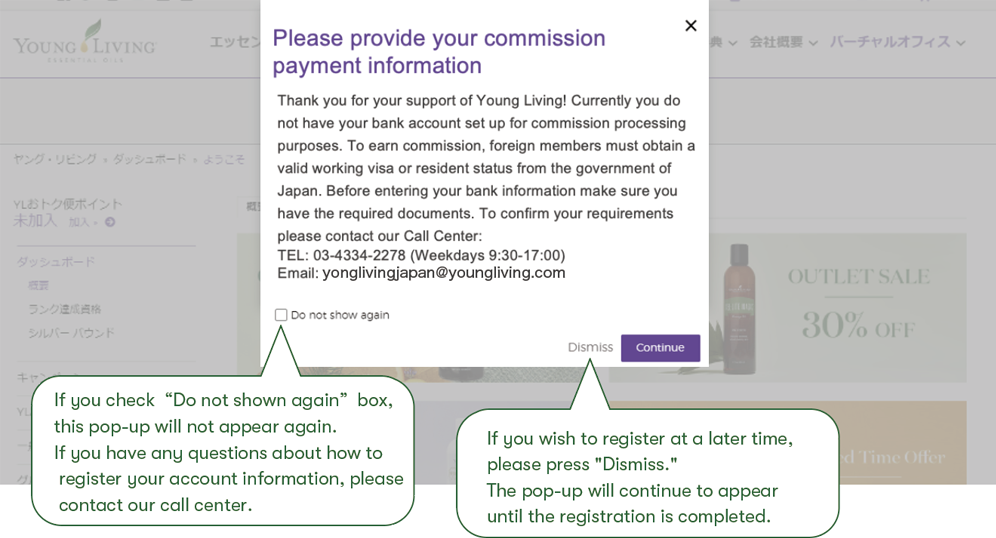
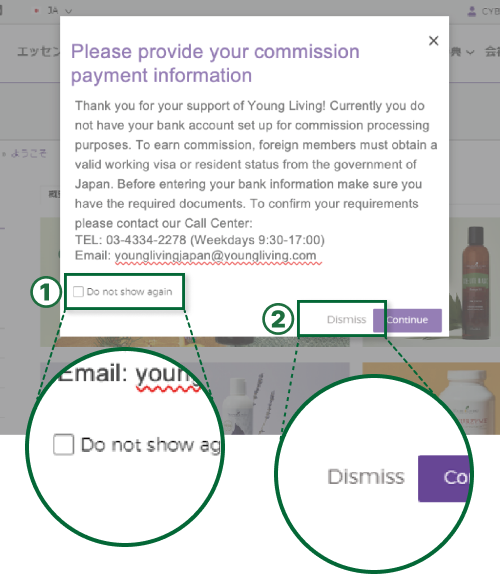
①If you check “Do not shown again”box,this pop-up will not appear again. If you have any questions about how to register your account information, please contact our call center.
②If you wish to register at a later time, please press “Dismiss.”The pop-up will continue to appear until the registration is completed.
Regarding registering bank account information
for receiving bonuses.
■ Please input bank transfer information.
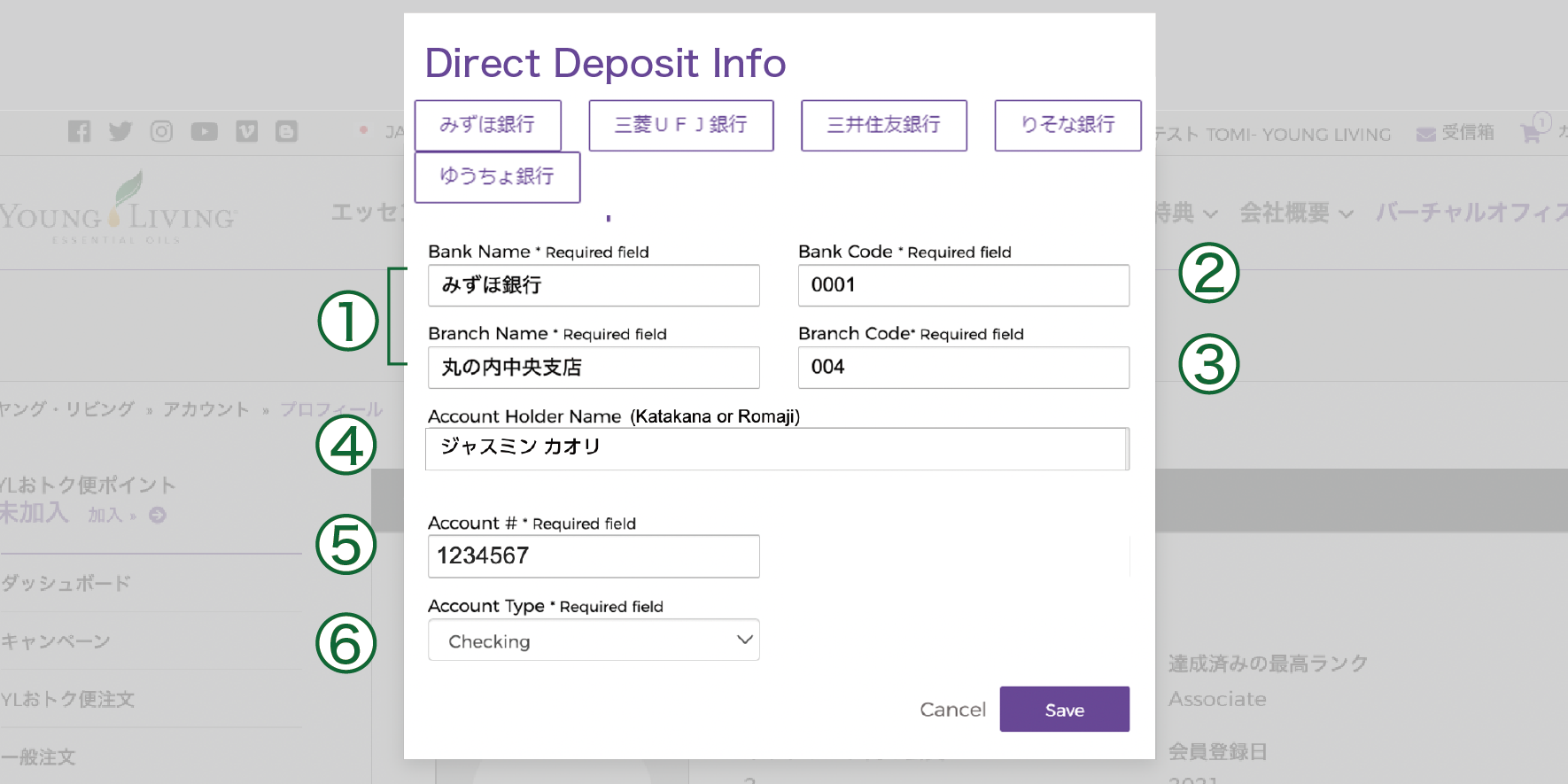
① Bank Name / Branch Name:
When entered in hiragana, matching options will appear automatically.
②③ Bank Code / Branch Code:
The bank code and branch code for the bank/branch selected in ① will be displayed automatically.
④Account Holder Name:
Please enter the account holder name in full-width Katakana.
If the name is displayed in Kanji, please make sure to replace it with Katakana.
⑤Account Number:
Please enter a 7-digit account number using half-width numbers.※
⑥Account Type:
Please select one of the following: Checking, Savings, or Other.
※ If the applicable bank name or branch name does not appear, please contact our Call Center at 03-4334-2278.
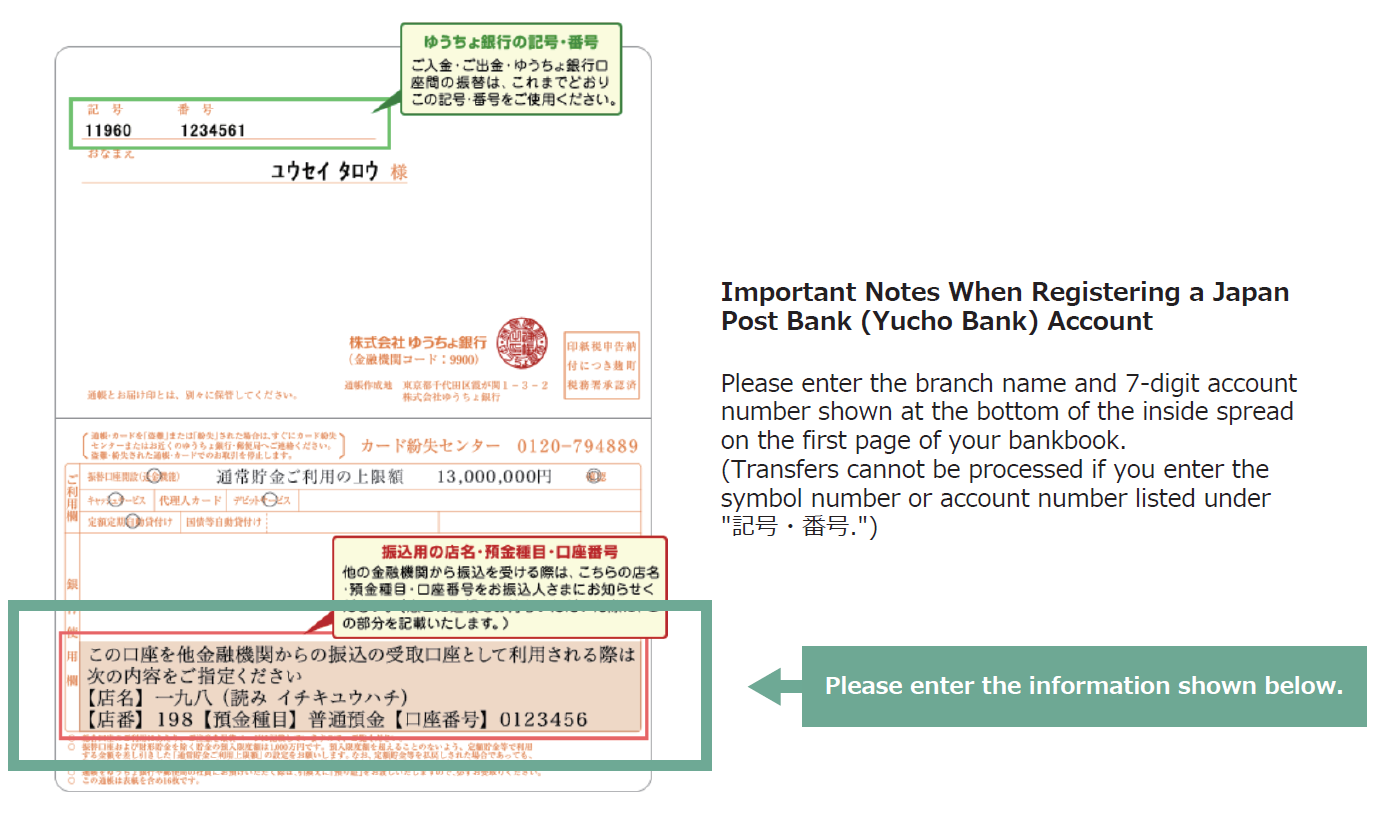
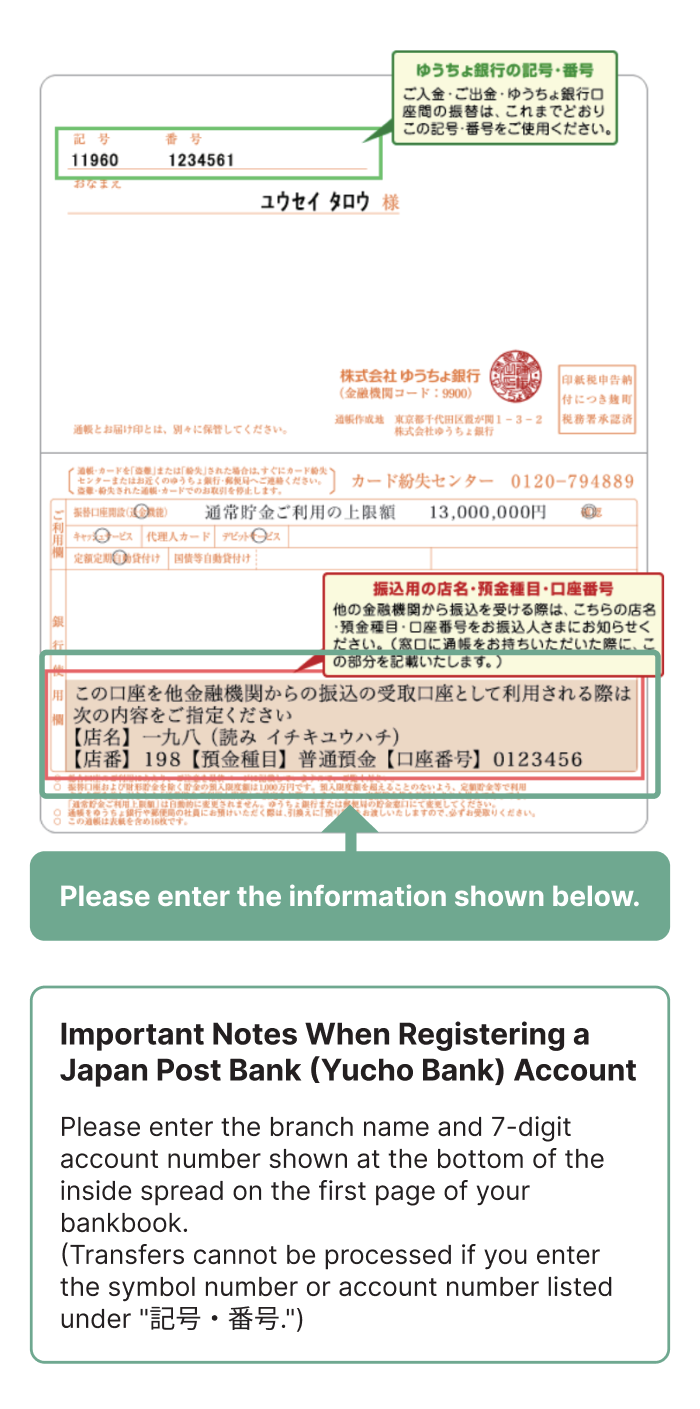
※ If you would like to designate Japan Post Bank (Yucho Bank) as your transfer account, please refer to the information below.
Supplementary
information
If you input any characters other than half-width numbers in the account number field and press Save
it will result in an error. Please remove symbols like ‘***’ and enter half-width numbers (7 digits).
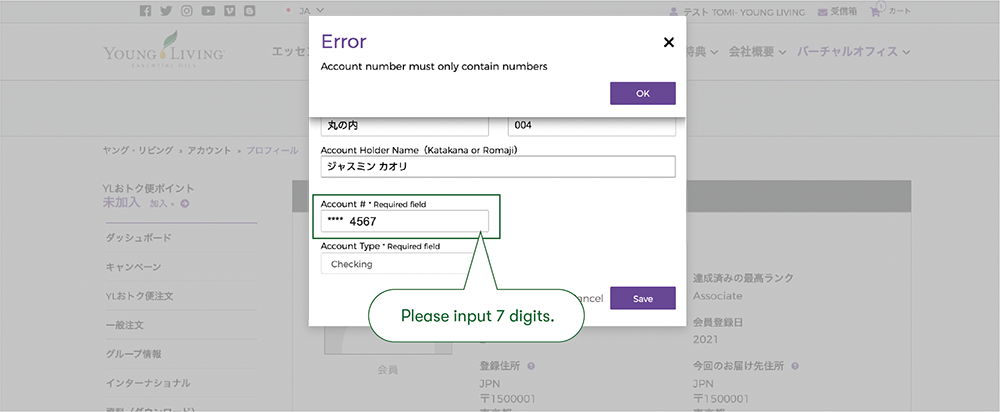
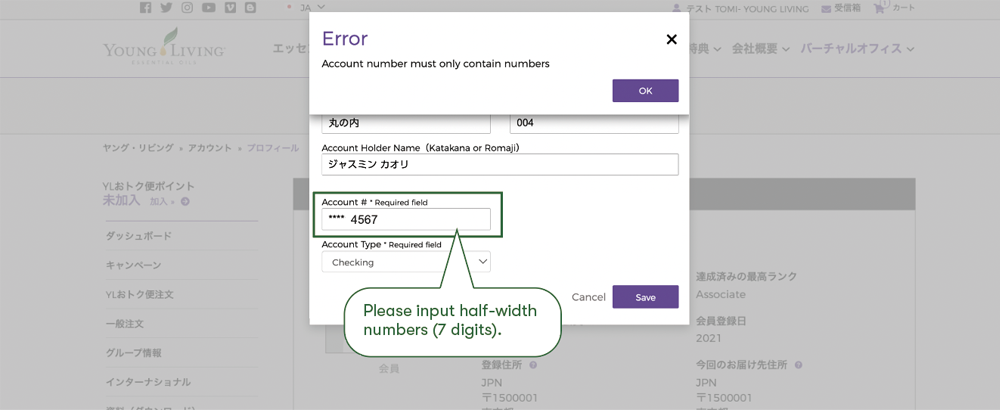
・Please input half-width numbers (7 digits).
How to change the bank account information

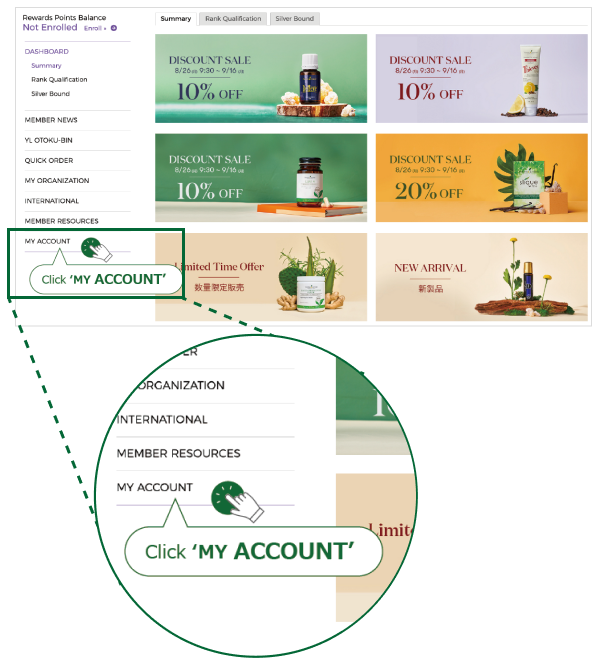
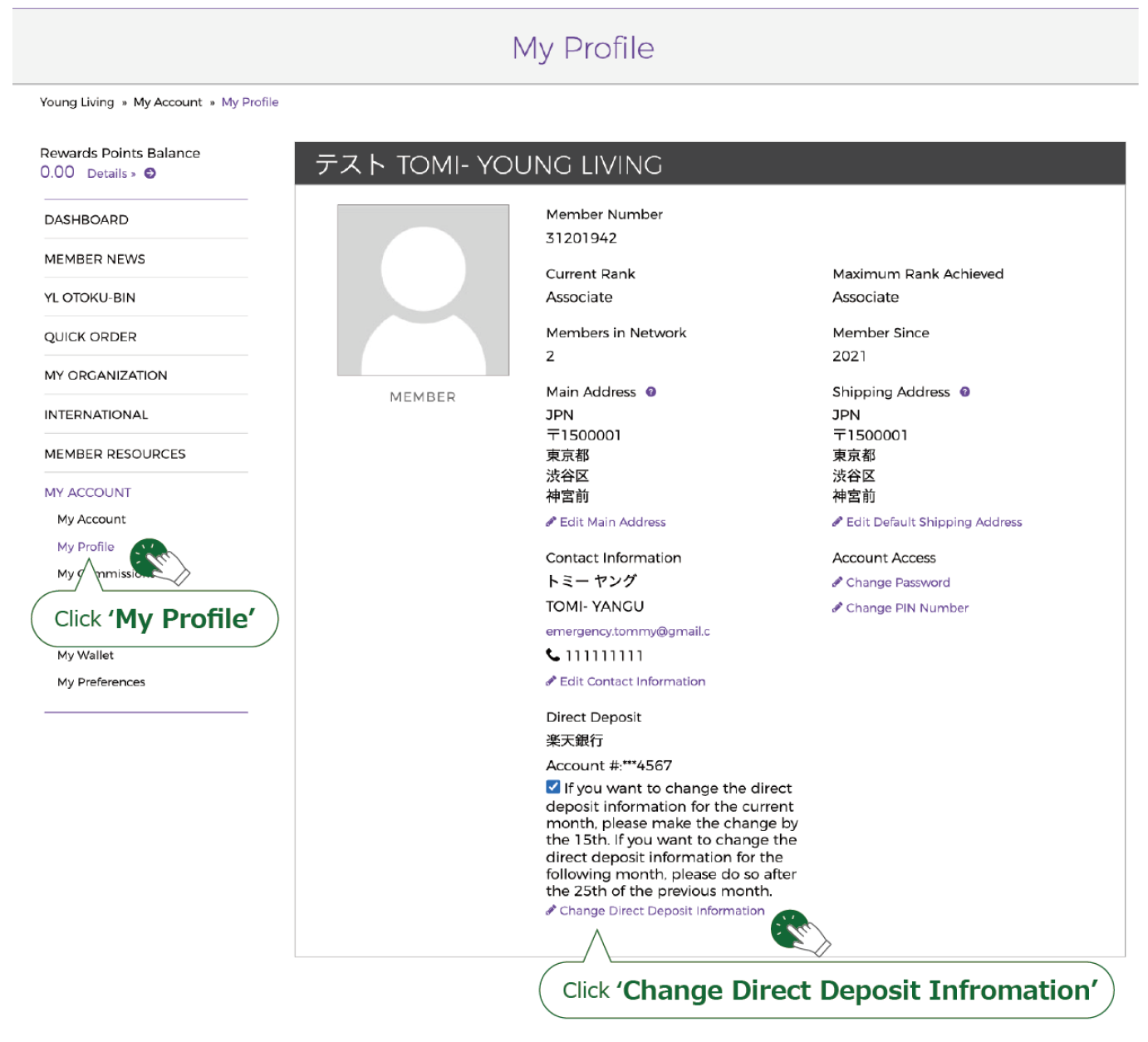
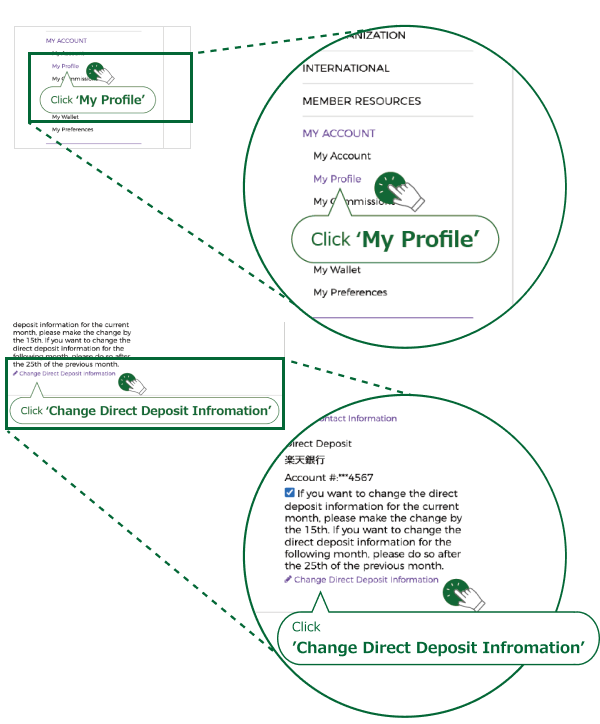
After making the changes, click on Save
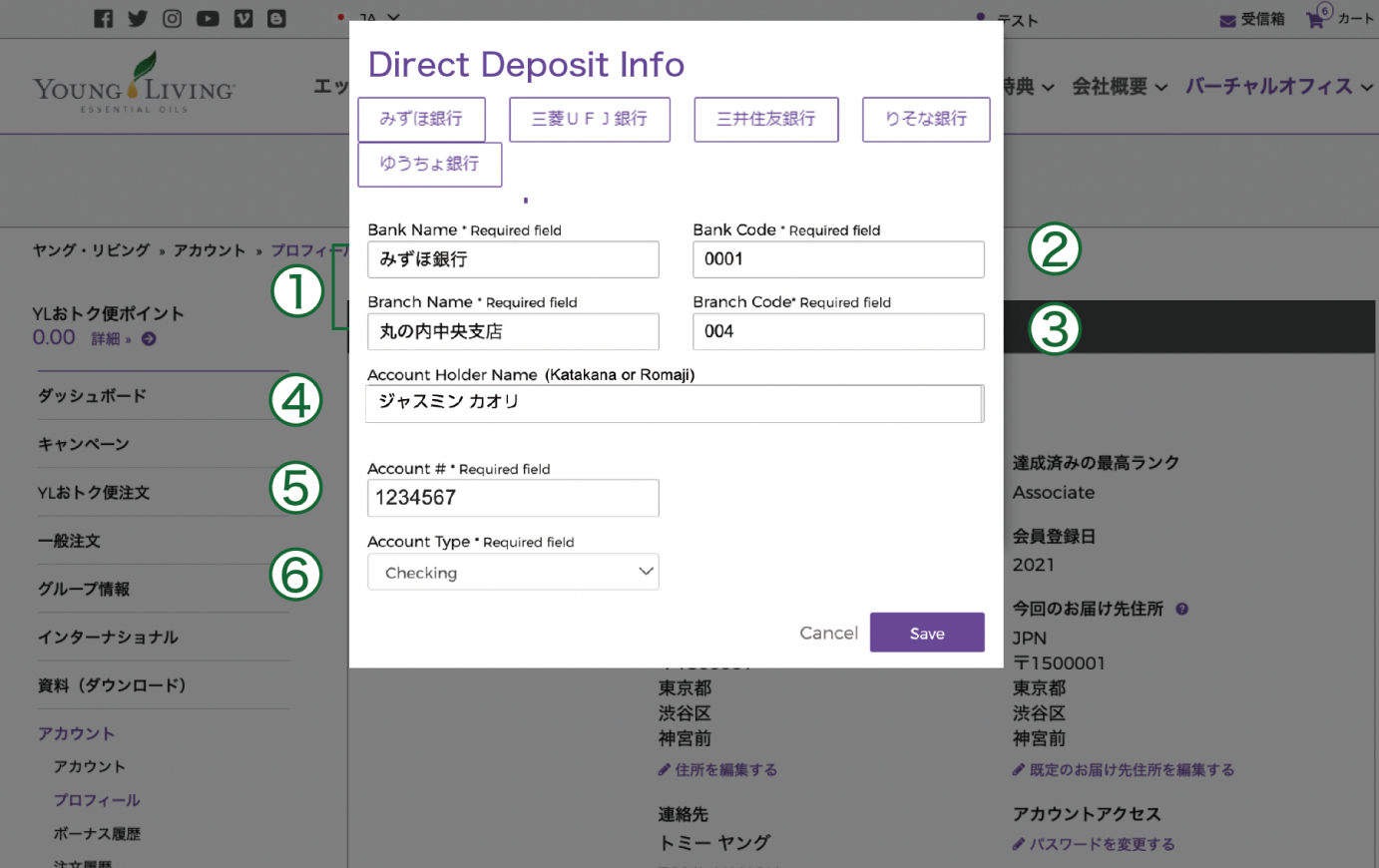
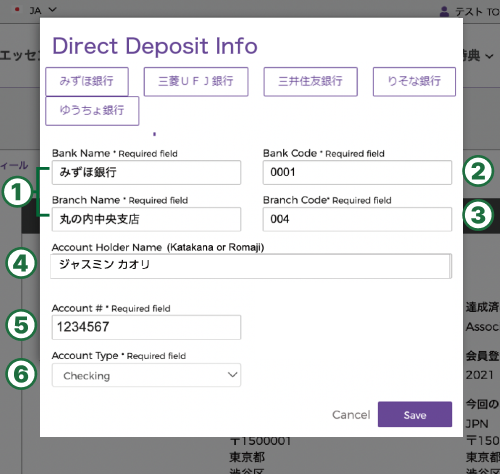
① Bank Name / Branch Name:
When entered in hiragana, matching options will appear automatically.
②③ Bank Code / Branch Code:
The bank code and branch code for the bank/branch selected in ① will be displayed automatically.
④Account Holder Name:
Please enter the account holder name in full-width Katakana.
If the name is displayed in Kanji, please make sure to replace it with Katakana.
⑤Account Number:
Please enter a 7-digit account number using half-width numbers.※
⑥Account Type:
Please select one of the following: Checking, Savings, or Other.
※ If the applicable bank name or branch name does not appear, please contact our Call Center at 03-4334-2278.
※ If you would like to designate Japan Post Bank (Yucho Bank) as your transfer account, please refer to the information below.